Posts

Log Analysis: Analysis on Auth.log

Image
This entry may assist Incident Handlers to analyse the brute-force attacks that may  leverage on SSH protocol.  Overview of auth.log —————————- fikri~$ cat auth.log | head Mar 16 08:12:04 app-1 login[4659]: pam_unix(login:session): session opened for user user3 by LOGIN(uid=0) Mar 16 08:12:09 app-1 sudo:     user3 : TTY=tty1 ; PWD=/home/user3 ; USER=root ; COMMAND=/bin/su Mar 16 08:12:09 app-1 sudo: pam_unix(sudo:session): session opened for user root by user3(uid=0) Mar 16 08:12:09 app-1 sudo: pam_unix(sudo:session): session closed for user root Mar 16 08:12:09 app-1 su[4679]: Successful su for root by root Mar 16 08:12:09 app-1 su[4679]: + tty1 root:root Mar 16 08:12:09 app-1 su[4679]: pam_unix(su:session): session opened for user root by user3(uid=0) Mar 16 08:12:13 app-1 groupadd[4691]: new group: name=user4, GID=1001 Mar 16 08:12:13 app-1 useradd[4692]: new user: name=user4, UID=1001, GID=1001, home=/home/user4, shell=/bin/bash ...
Penetration Testing on Windows XP SP2/ SP3 by Exploiting a Vulnerability in Windows Samba Service {ms08-67}.

{Requirements:} ———————— All Machines Running on VM 1. Kali Linux (172.16.66.193) 2. Windows XP SP2 (172.16.66.193) 3. IDS - Suricata {Scan for open ports:} ———————————- root@fikri:~# nmap -n -sV 172.16.66.199 Starting Nmap 6.49BETA4 ( https://nmap.org ) at 2015-12-17 10:25 MYT Nmap scan report for 172.16.66.199 Host is up (0.11s latency). Not shown: 918 closed ports, 79 filtered ports PORT    STATE SERVICE      VERSION 135/tcp open  msrpc        Microsoft Windows RPC 139/tcp open  netbios-ssn  Microsoft Windows 98 netbios-ssn 445/tcp open  microsoft-ds Microsoft Windows XP microsoft-ds MAC Address: 00:0C:29:D1:55:23 (VMware) Service Info: OSs: Windows, Windows 98, Windows XP; CPE: cpe:/o:microsoft:windows, cpe:/o:microsoft:windows_98, cpe:/o:microsoft:windows_xp Service detection performed. Please report any incorrect results at https://nmap.org/submit/ . Nmap done: 1 ...
Image
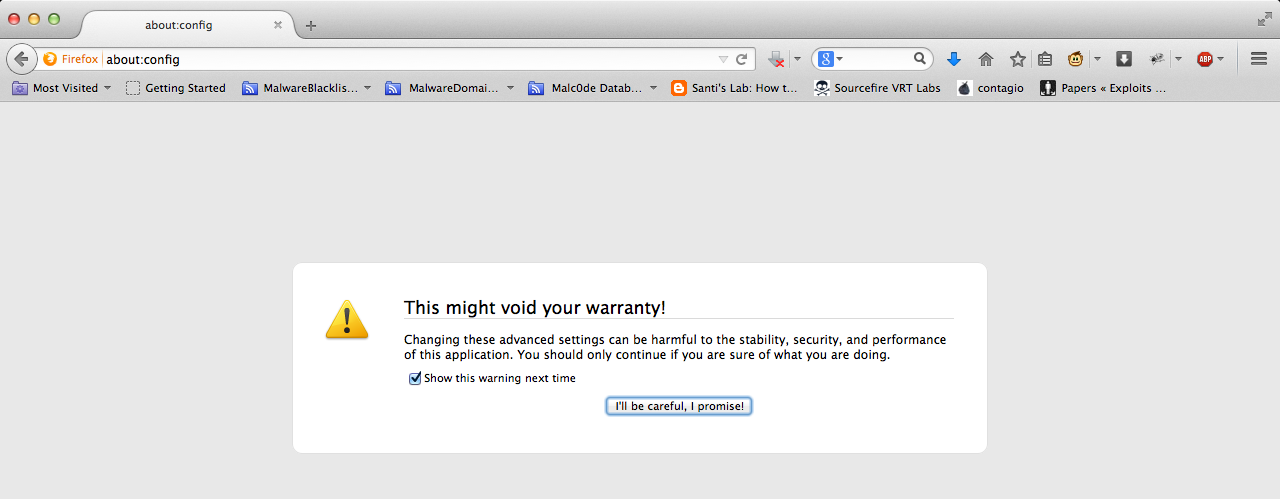
The Poodle Bites: Exploiting the SSLv3 Fallback  Disable SSLv3 on Firefox, IE 1. Type   about:config -->  Just click that message 2. Then find   security.tls.version.min  3. Double click on   security.tls.version.min  4. Set value from 0 to 1 5. Then restart Firefox Disable SSLv3 on Internet Explorer 1. Go to Settings      2. Go to Internet Option and click to Advanced button 3. Scroll down and uncheck SSLv3 and Apply 4. Restart IE Stay tuned, of course for Chrome, Safari, etc..